logo
Image
Microsoft Azure Administrator (AZ-104)
Enhance your career with IEMLabs' Cloud Computing Certification Course. Learn essential concepts of cloud architecture, deployment models, services like AWS, Azure, VMware, and MCSA along with hands-on labs. This industry-focused training equips you with the skills needed for real-world cloud environments, ensuring job readiness and global certification.
Get in Touch with us
Program
Overview
The Cloud Computing Certification Courses from IEMLabs are designed to equip professionals with in-demand cloud skills across leading platforms. This comprehensive program includes certifications in AWS Solution Architect, Microsoft Azure Professional, VMware, and MCSA (Microsoft Certified Solutions Associate). Each course offers hands-on training, real-world projects, and expert-led sessions to build deep expertise in cloud architecture, deployment, and management. Whether you're aiming to design scalable AWS infrastructure, manage Azure environments, or virtualize networks using VMware, these certifications prepare you for industry-recognized roles. Ideal for IT professionals and beginners alike, the curriculum aligns with the latest industry standards, ensuring career-ready skills and globally accepted credentials. Join IEMLabs and future-proof your career in cloud technologies.
0 +

Google Reviews

0 +

Job Placed

0 +

Happy Candidates

0 +

Trustpilot Reviews

Key
Highlights
Image
100% Placement Assistance*
Image
Instructor led live projects
Image
Instructor led live classes
Image
Practical experience
Image
Structured, industry vetted curriculum
Image
Regular mentorship session
Basic
Eligibility

Educational Qualification

  • Minimum Requirement: 10+2 (Higher Secondary) pass.
  • Preferred: Graduate in any discipline (Science, Engineering, IT, or Computer Science background is advantageous but not mandatory).

Technical Skills

Not mandatory, but a basic understanding of the following will help:
  • Basic understanding of computers and the Internet.
  • Familiarity with operating systems (Windows/Linux) is helpful.
  • Programming knowledge (e.g., Python, C) is a plus but not compulsory.
System
Requirements

Minimum System Requirements

  • Processor (CPU):: Intel Core i5 (8th Gen or newer) / AMD Ryzen 5 or equivalent
  • RAM::
  • 8 GB:
  • Storage:: 256 GB SSD
  • Operating System:: Windows 10 / 11 (64-bit) or latest macOS / Ubuntu 20.04+
  • Graphics:: Integrated GPU (Intel UHD or better)
  • Internet Connection:: Stable broadband with at least 10 Mbps speed
  • Other: - Working webcam and microphone (for virtual classes and exams)
    - Antivirus and firewall installed

Recommended System Requirements

  • Processor (CPU):: Intel Core i7 (10th Gen or newer) / AMD Ryzen 7 or equivalent
  • RAM:: 16 GB or higher
  • Storage: 512 GB SSD or more
  • Operating System: Windows 11 Pro (64-bit) / Latest macOS / Ubuntu 22.04+
  • Graphics: Dedicated GPU (NVIDIA GTX 1660 / RTX 2060 or equivalent for AI-based labs)
  • Internet Connection: 20+ Mbps for downloading tools, remote labs, and virtual machine access
  • Virtualization Support: Enabled in BIOS (for running VirtualBox, VMware, etc.)

Who Can Join ThisTraining?

Students And Fresh Graduates

  • Those pursuing or completed degrees in Computer Science, IT, or Engineering
  • Looking to build a career in cloud technologies

I T Professionals

  • System Administrators, Network Engineers, Software Developers, and Database Administrators who want to upgrade their skills
  • Professionals aiming to switch to DevOps, Cloud Architecture, or Cloud Security

Working Professionalsin Non_ I T Roles

  • Professionals in Project Management, Technical Sales, or Business Analysis wanting to understand cloud to manage projects or teams better

Career Switchers

  • Professionals from non-cloud domains who want to switch to a high-demand cloud computing field.

Skills YouWill Gather

Master Cloud Fundamentals:
Expertise in Leading Cloud Platforms
Core AWS Services Proficiency
DevOps and Automation
Enhanced Security and Compliance
Real-world Problem-Solving
Preparation for Industry-Recognized Certifications

CourseModule

01

Introduction To Cloud Computing

  • What Is Cloud Computing
  • Advantages Of Cloud Computing
  • Service Models (Saas, Paas, Iaas)
  • Deployment Models
  • Overview Of Private / Public / Hybrid / Community Cloud
02

Manage Azure AD Objects

  • Create Users And Groups
  • Manage User And Group Properties
  • Manage Device Settings
  • Perform Bulk User Updates
  • Manage Guest Accounts
  • Configure Azure AD Join
  • Configure Self-Service Password Reset
03

Manage Role-Based Access Control (RBAC)

  • Create A Custom Role
  • Provide Access To Azure Resources By Assigning Roles
  • Interpret Access Assignments
  • Manage Multiple Directories
04

Manage Subscriptions And Governance

  • Configure Azure Policies
  • Configure Resource Locks
  • Apply Tags
  • Create And Manage Resource Groups
  • Manage Subscriptions
  • Configure Cost Management
  • Configure Management Groups
05

Manage Storage Accounts

  • Configure Network Access To Storage Accounts
  • Create And Configure Storage Accounts
  • Generate Shared Access Signature
  • Manage Access Keys
  • Implement Azure Storage Replication
  • Configure Azure AD Authentication For A Storage Account
06

Manage Data In Azure Storage

  • Export From Azure Job
  • Import Into Azure Job
  • Install And Use Azure Storage Explorer
  • Copy Data By Using Azcopy
07

Configure Azure Files And Azure Blob Storage

  • Create An Azure File Share
  • Create And Configure Azure File Sync Service
  • Configure Azure Blob Storage
  • Configure Storage Tiers For Azure Blobs
08

Configure Vms For High Availability And Scalability

  • Configure High Availability Deploy And Configure Scale Sets
09

Automate Deployment And Configuration Of Vms

  • Modify Azure Resource Manager (ARM) Template
  • Configure VHD Template Deploy From Template
  • Save A Deployment As An ARM Template
  • Automate Configuration Management By Using Custom Script
  • Extensions
10

Create And Configure Vms

  • Configure Azure Disk Encryption
  • Move Vms From One Resource Group To Another
  • Manage VM Sizes Add Data Discs Configure Networking
  • Redeploy Vms
11

Create And Configure Containers

  • Create And Configure Azure Kubernetes Service (AKS)
  • Create And Configure Azure Container Instances (ACI)
12

Create And Configure Web Apps

  • Create And Configure App Service
  • Create And Configure App Service Plans
13

Implement And Manage Virtual Networking

  • Create And Configure VNET Peering
  • Configure Private And Public IP Addresses, Network
  • Routes, Network Interface, Subnets, And Virtual Network
14

Configure Name Resolution

  • Configure Azure DNS Configure Custom DNS Settings
  • Configure A Private Or Public DNS Zone
15

Secure Access To Virtual Networks

  • Create Security Rules
  • Associate An NSG To A Subnet Or Network Interface
  • Evaluate Effective Security Rules
  • Deploy And Configure Azure Firewall
  • Deploy And Configure Azure Bastion Service
16

Configure Load Balancing

  • Configure Application Gateway
  • Configure An Internal Load Balancer
  • Configure Load Balancing Rules
  • Configure A Public Load Balancer
  • Troubleshoot Load Balancing
17

Monitor And Troubleshoot Virtual Networking

  • Monitor On-Premises Connectivity
  • Use Network Performance Monitor
  • Use Network Watcher
  • Troubleshoot External Networking
  • Troubleshoot Virtual Network Connectivity
18

Integrate An On-Premises Network With An Azure Virtual Network

  • Create And Configure Azure VPN Gateway
  • Create And Configure Vpns
  • Configure Expressroute
  • Configure Azure Virtual WAN
19

Monitor Resources By Using Azure Monitor

  • Configure And Interpret Metrics
  • Configure Log Analytics
  • Query And Analyze Logs
  • Set Up Alerts And Actions
  • Configure Application Insights
20

Implement Backup And Recovery

  • Configure And Review Backup Reports
  • Perform Backup And Restore Operations By Using Azure Backup Service
  • Create A Recovery Services Vault
  • Create And Configure Backup Policy
  • Perform Site-To-Site Recovery By Using Azure Site Recovery

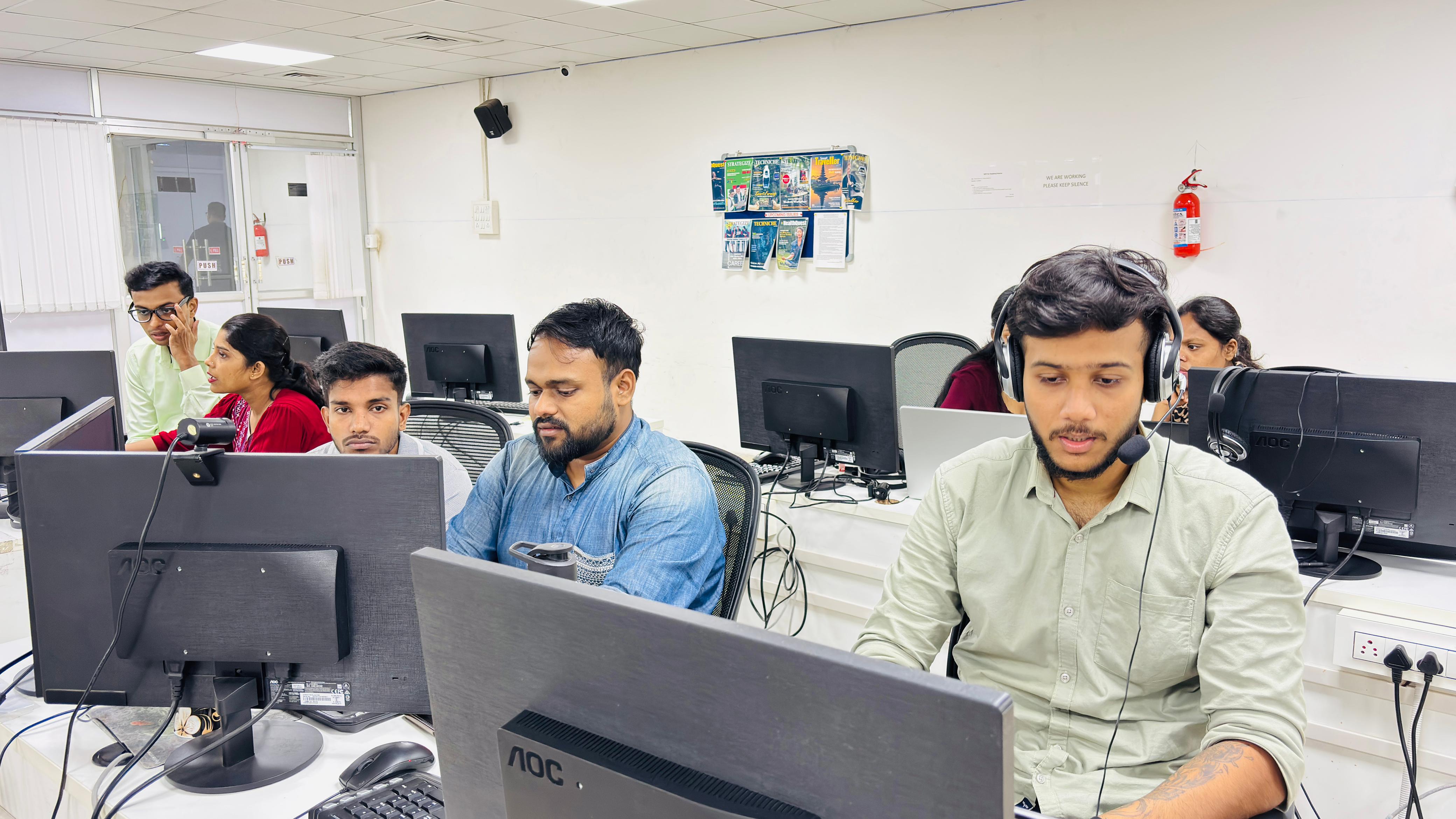
OurClassroom

Tech-Enabled Learning Space

Tech-Enabled Learning Space

Smart boards and high-speed connectivity for digital education

Upcoming Batches

Batch Start Date
7th July 2025
Time
10am - 12pm
Days
Monday, Wednesday
Mode of Training
Hybrid
Status
Seats Full
Batch Start Date
9th July 2025
Time
08pm - 10pm
Days
Monday, Wednesday
Mode of Training
Online
Status
3 Seats Left
Batch Start Date
10th July 2025
Time
04pm - 6pm
Days
Tuesday, Thursday
Mode of Training
Hybrid
Status
4 Seats Left
Batch Start Date
15th July 2025
Time
08pm - 10pm
Days
Tuesday, Thursday
Mode of Training
Online
Status
Batch Open
Batch Start Date
16th July 2025
Time
12pm - 02pm
Days
Wednesday, Friday
Mode of Training
Hybrid
Status
Batch Open
Batch Start Date
18th July 2025
Time
02pm - 04pm
Days
Wednesday, Friday
Mode of Training
Hybrid
Status
Batch Open

Real-time Learning withIndustry Experts

Basudev Audhya

Basudev Audhya

Networking Security and Cloud Computing Expert

CCNA, CCNP, MCSA, AZ-900, AZ–104, AZ-800, CEH v12, VMware, AWS

With over 9 years of industry experience, our esteemed faculty has successfully trained 1500+ professionals in advanced networking and cloud technologies. Their expertise spans across AWS, Microsoft Azure, Kubernetes, as well as Routing, Switching, and Network Security. Renowned for blending deep technical knowledge with hands-on training, they empower learners to build strong, real-world IT infrastructure skills.

Tools
Covered
Tool
Tool
Tool
Tool
Tool
Tool

CareerOpportunities

Job Roles

After completing the Cloud Computing Course, you can apply for various roles, including:

Industries Hiring

Cloud Certified Experts are in demand across sectors such as:

Salary Range in India (2025 Estimates)
Job RoleExperience LevelAverage Salary (per annum)
Cloud Support Associate0–2 years₹5,00,000 – ₹6,50,000
Cloud Engineer / DevOps Engineer3–5 years₹8,00,000 – ₹10,00,000
Senior Cloud Engineer6–8 years₹12,00,000 – ₹15,00,000
Cloud Solutions Architect9–11 years₹18,00,000 – ₹22,00,000
Cloud Consultant / Cloud Practice Head12+ years₹25,00,000 – ₹35,00,000+

Note: Salary depends on skills, certifications, company, and job locations.

People WithCloud ComputingWork In

Company
Company
Company
Company
Company
Company
Company
Company
Company
Company
Company
Company
Company
Company
Company
Company
Company
Company
Company
Company
Company
Company
Company
Company
Company
Company
Company
Company

Certifications

IEMLabs Certification is recognized around the world as a valid indicator of a learner's skill in the most in-demand career sectors. Enhance your career with our industry-leading certification courses and practical training. Join us to pursue your ideal job.

Get Your Quality Skills Certificate through Exam:

  • Professional Development and Advancement
  • Global Industry Recognition
  • Practical Skill Development
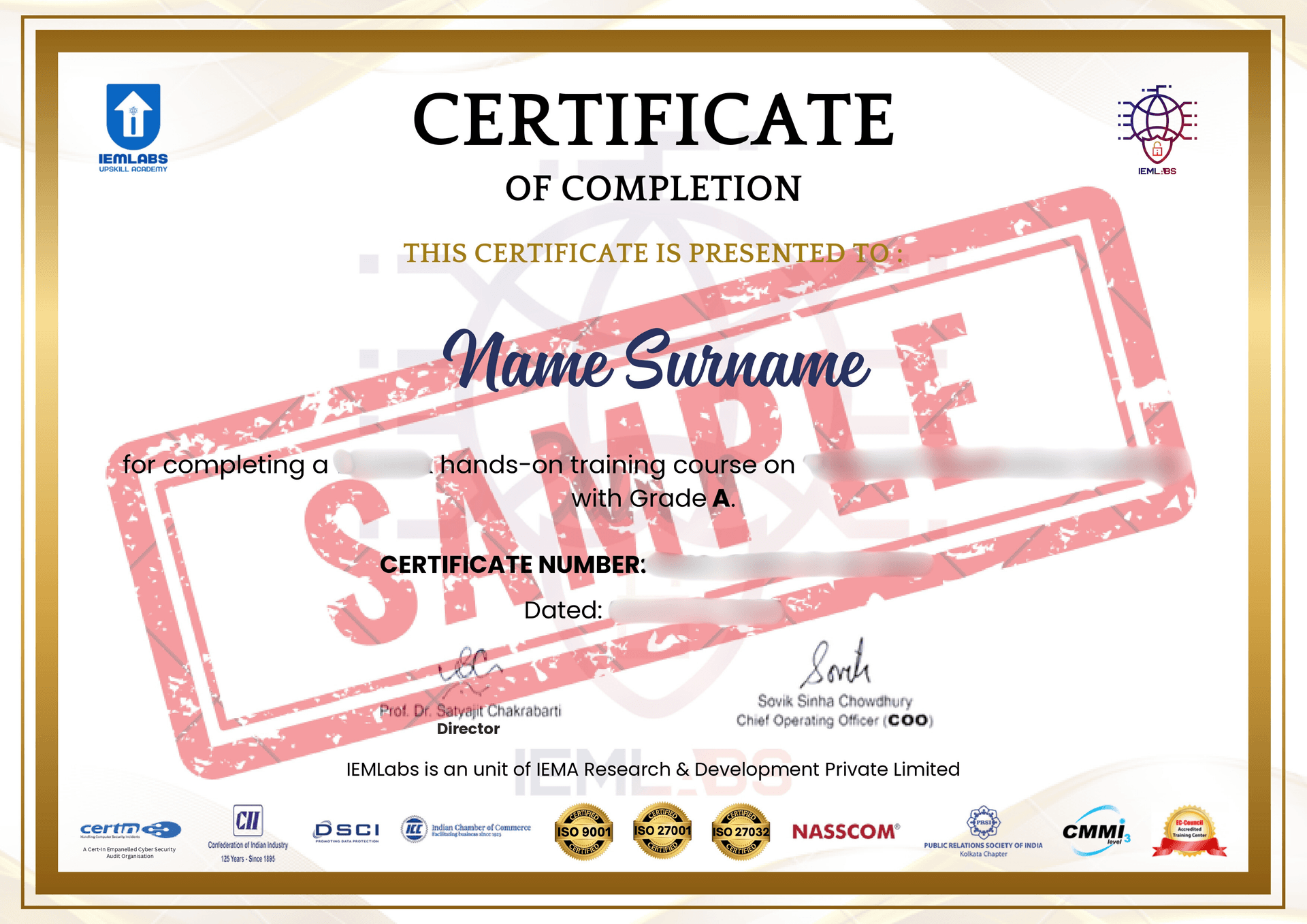
Certificate of Completion
Frequently Asked
Questions
Related
Courses
Duration: 4 to 6 months
Enroll Now
logo
Contact Us
Hotline: 9831978317
Toll Free: 1800 202 8293
Accreditations
Certifications
Memberships
Payment Partners
Copyright @2024 IEMLabs. All Rights Reserved